Plan resource capacity and see the impact instantly
Plan each resource's available time with fixed working hours and adjust per-day if needed. Epifor calculates the orders' work load and the planned capacity, providing a realistic insights about bottlenecks, completion date estimation and capacity needs. Make planning changes and instantly see what is the impact on your planned manufacturing orders.
Epifor's Capacity Planning tool shows how much work your floor can really take on, based on the actual capacity of your resourses. Epifor let you make changes, see the impact and revert if needed without ruining your current plan.
Capacity Planning
See what your floor can take.
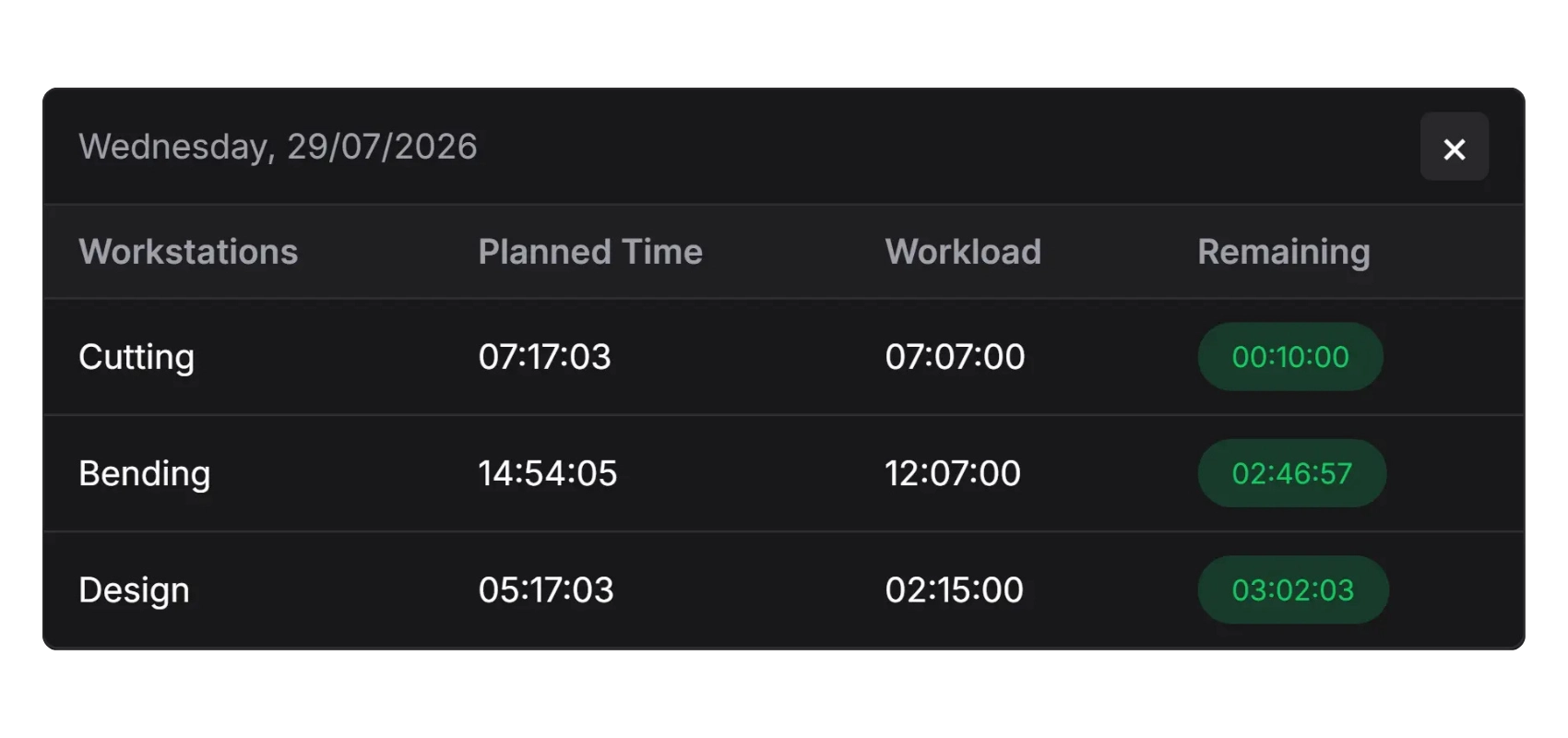
Your order's workload against the capacity of your resources. Instantly see free capacity and overloads days infront. Plan overtimes, reduce or eliminate capacity in a click.
Capacity vs load
See each resource against its available hours
Spot bottlenecks days before
Plan before an overload becomes a late order
Resourse allocation against real hours
Rebalance and allocate your resources more efficient
Forecasting from capacity changes
Working hours, daily adjustments.
Epifor's forecasting mechanism calculates each job start and finish. Providing an estimation for the completion of manufacturing orders, which are send back to your ERP.
Work Center Capacity
Each work centers capacity is adjusted on the terminals We've got you covered even in case a work center is a welding with multiple workbenches
Per-day adjustments
Make changes at one work center or at the whole day Declare holidays, maintenance and overtime
Date completion estimation
With your current plan, AI Forecasting mechanism calculates every job and manufacturing order estimated completion date.
Frequently asked questions
Q.01What is capacity planning in manufacturing?
Capacity planning is working out how much production your floor can take on, based on the real time each resource has available. In Epifor, you build that from fixed shifts and per-day availability inside the shop floor management system, so the number reflects your actual hours and your schedule plans against them.
Q.02How do I set a resource's available time?
You set it two ways: fixed shifts that repeat (for example, Monday to Friday, eight hours), and per-day adjustments for specific dates. Every machine, station, and labor group can have its own availability.
Q.03What's the difference between fixed shifts and per-day availability?
Fixed shifts are the repeating pattern your resource normally works. Per-day availability is an override for a specific date (a holiday, a maintenance window, or an overtime day). Together they keep capacity accurate without constant re-entry.
Q.04Can I account for holidays, maintenance, or overtime?
Yes. Per-day adjustments let you add or remove hours for any date, so planned downtime and extra shifts are reflected in capacity before they affect the schedule.
Q.05What is the difference between finite and infinite capacity planning?
Infinite capacity planning assumes resources are always available, so every order fits on paper (which is why it produces unrealistic dates). Finite capacity planning uses real limits: each resource is loaded only up to the hours it actually has. Epifor plans finite, so the schedule is one you can execute.
Q.06Doesn't my ERP already do capacity planning?
Most ERP and MRP systems plan materials with infinite-capacity logic, which is the right job for purchasing but not for the floor. Epifor adds the finite, shop-floor capacity layer on top; built from real availability and real times inside the shop floor management system. It complements your ERP rather than replacing it.
Q.07How do I see if a resource is overloaded?
A capacity-vs-load view shows each resource against its available hours, so free capacity and overloads stand out at a glance. You can rebalance before an overload turns into a late order.
Q.08Is capacity based on real times?
Yes. Epifor combines availability with the real, measured cycle times it learns on your floor, plus live job progress so the load placed against capacity reflects how long work actually takes, not an estimate.
Free online presentation
See your capacity
Book a short presentation and see how Epifor can plan your floor against the hours you actually have, all inside one shop floor management system.