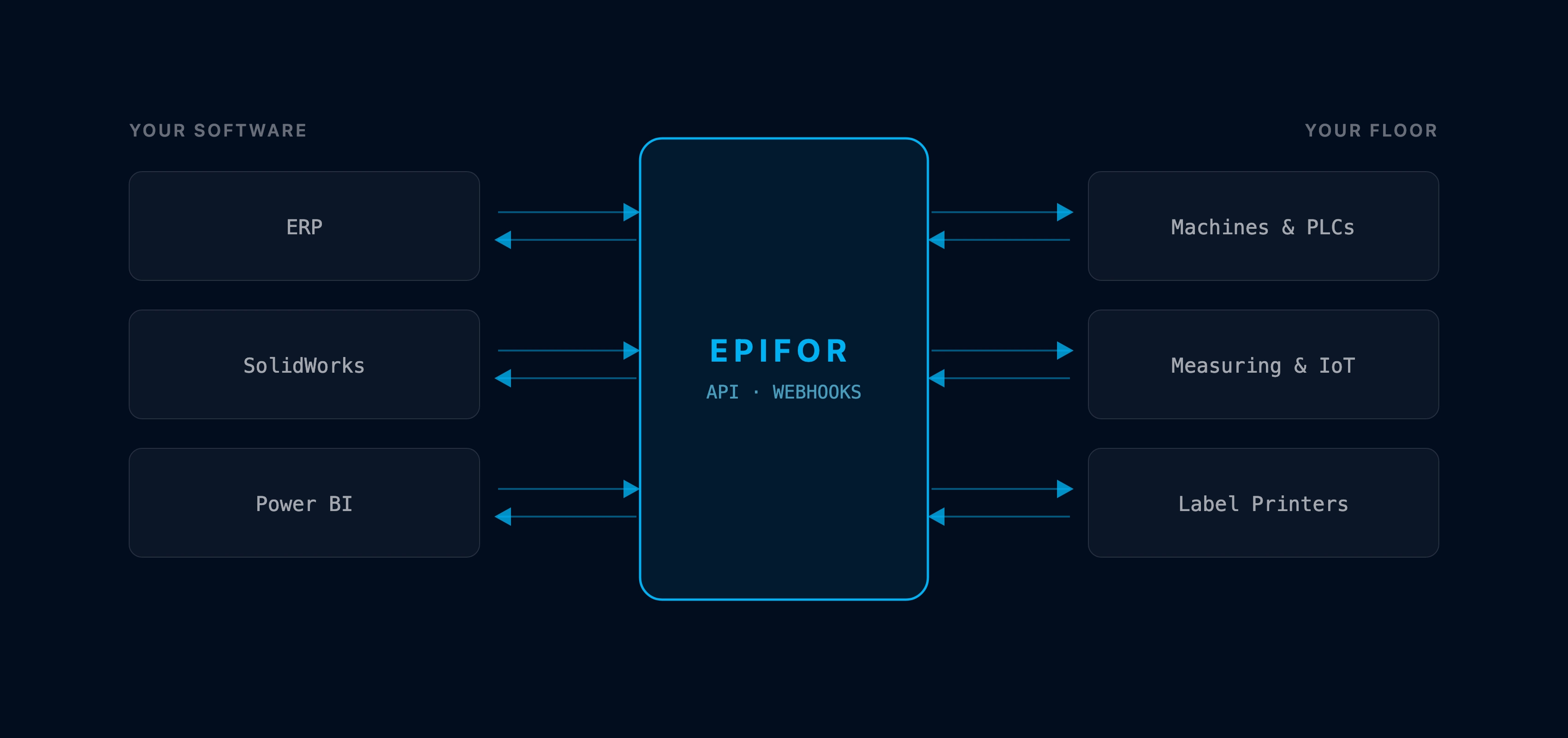
Connect Epifor to the machines and systems you already run
Epifor plugs into your shop floor and your software: bring orders in by spreadsheet or a full API, connect machines, PLCs and measuring devices, print labels and push data out to Microsoft Power BI. Two-way, with webhooks that fire the moment something happens.
Epifor's Integrations connect the system to everything around it, from the machines on your floor to the software in your office. Orders come in manually, by spreadsheet, or through a full API and Epifor sends data back with webhooks that fire on events. On the floor, it connects to machines, PLCs and measuring and IoT devices, and prints your labels. And it links to the software you plan and report with, from SolidWorks to Microsoft Power BI, with cloud drive support on the way.
Orders & API
Get orders in, and data out.
Bring manufacturing orders into Epifor by hand or from a spreadsheet, or connect a full API for a live link with your ERP and other systems. Webhooks push events back out the moment they happen, so your systems stay in step.
Manual & Spreadsheet Order Import
Enter orders directly or import them from a spreadsheet, mapped to your work order lines
Full API
A versioned API with your own key, to connect Epifor with your ERP and peripheral systems both ways
Webhooks
Push events like completions and consumption to your other systems as they happen
Machines & Devices
Wire in the floor
Connect your machines and PLCs to record real starts, stops, alarms and downtime, and pull readings straight from measuring and IoT devices. Print the labels each job needs without retyping anything.
Machines & PLCs
Connect machines and PLCs to capture start, stop, alarms, and downtime in real time
Measuring & IoT Devices
Collect readings from instruments, sensors, and IoT devices, straight into the job
Label Printing
Print labels for orders and items automatically, from the data already in Epifor
Design, Files & BI
Link your software, too.
Bring drawings and BOMs across from SolidWorks, send your production data to Microsoft Power BI for the dashboards you build there and, soon, connect your cloud drives so files live where your team already keeps them.
Design Software (SolidWorks)
Bring drawings and BOMs from SolidWorks into the job
Microsoft Power BI
Send production data to Power BI to build your own reports and dashboards
Cloud Drives (Coming Soon)
Google Drive and OneDrive support is on the way, to attach and pull files from your drives
Frequently asked questions
Q.01How do I get manufacturing orders into Epifor?
Enter them by hand, import them from a spreadsheet, or connect a full API so they flow in from your ERP. However they arrive, they become work order lines Epifor can schedule inside the shop floor management system.
Q.02What can the API do?
The API gives you a live, two-way link between Epifor and your ERP or other systems. You generate your own key for it, it is versioned so older integrations keep working and it carries production data in and out.
Q.03What are webhooks for?
Webhooks push events out of Epifor the moment they happen, such as a completion or a material consumption, so your ERP, WMS, or other systems update automatically instead of waiting for a sync.
Q.04Can Epifor connect to my machines and PLCs?
Yes. Connect machines and PLCs to record real starts, stops, alarms, and downtime, so the data behind your schedule and your OEE comes from the floor rather than from manual notes.
Q.05Can it read from measuring and IoT devices?
Yes. Readings from instruments, sensors and IoT devices can come straight into the job, so a measurement is captured against the order without an operator retyping it.
Q.06Does Epifor work with SolidWorks and Power BI?
You can bring drawings and BOMs across from SolidWorks into the job and send production data to Microsoft Power BI to build reports and dashboards there. Cloud drive support for Google Drive and OneDrive is coming soon.
Q.07Do I have to replace my ERP to use these integrations?
No. The integrations exist so Epifor works alongside what you already run. It captures and schedules on the floor and exchanges data with your ERP and systems, complementing them rather than replacing them.
Q.08Which cloud drives are supported?
Google Drive and OneDrive are coming soon. They are not connected yet, so that part is on the roadmap rather than available today.
Free online presentation
See it connect
Book a short presentation and see how Epifor connects to your machines, devices and software, with a full API and webhooks, all inside one shop floor management system.